Gradients
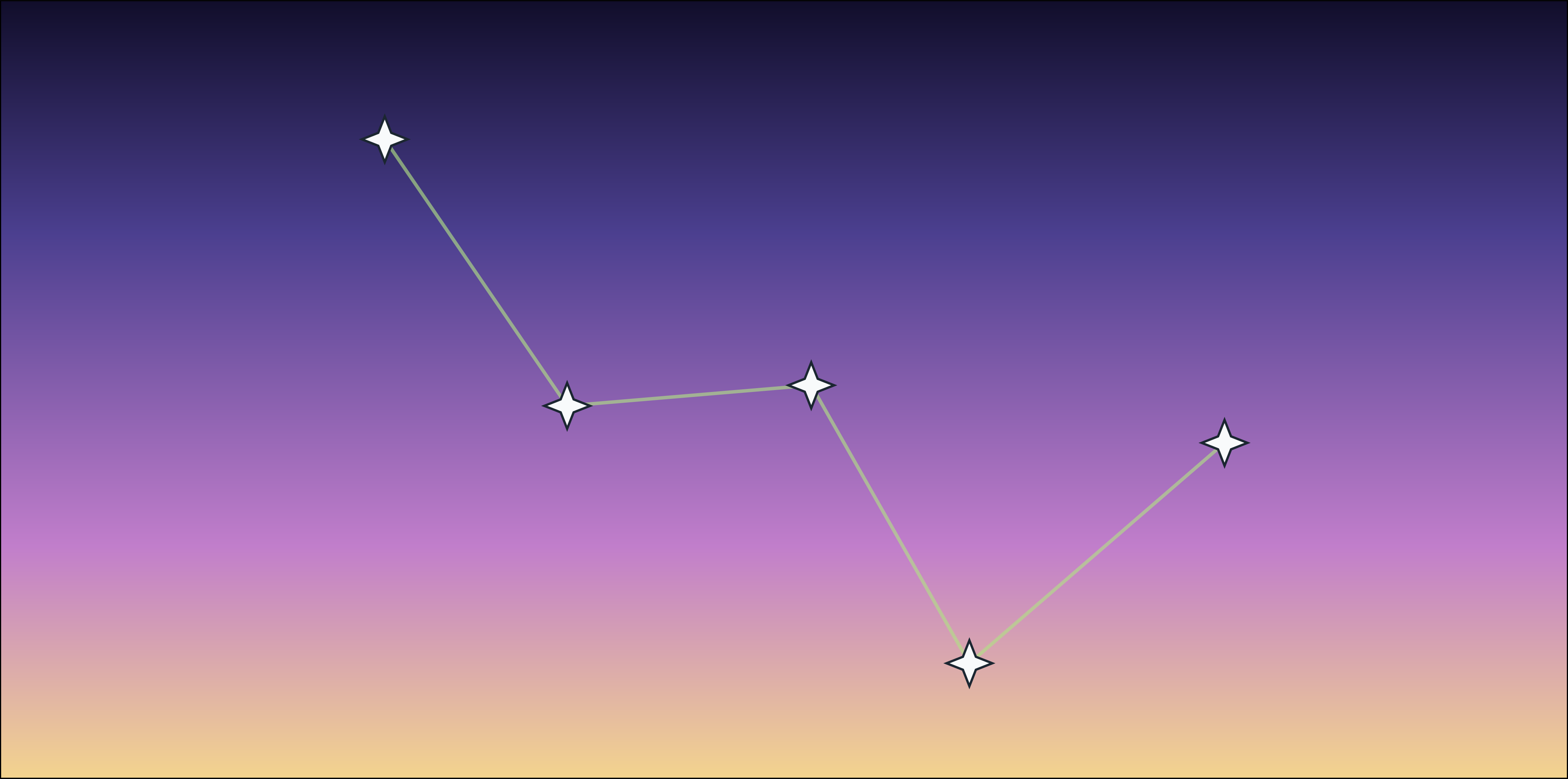
Markers and polygons can have a solid color fill or a gradient fill. Starplot has a few pre-defined gradients, but you can also build your own. Gradient backgrounds are defined through a GradientStyle. The GradientStyle consists of a tuple of color stops (in the format of (offset, color)) and a type ("linear" or "radial").
Pre-defined gradient stops available in starplot.styles.gradients:

DAYLIGHT

SUN

NEW_MOON

BOLD_SUNSET

CIVIL_TWILIGHT

LAVENDER_TWILIGHT

NAUTICAL_TWILIGHT

ASTRONOMICAL_TWILIGHT

NIGHT

PRE_DAWN

GROUND

OPTIC_FALLOFF
Using Built-In Gradients
- Example of using gradient on horizon plot
- Example of using a gradient on a polygon
- Example of using gradients on stars
Building Your Own
You can define your own gradient by setting the fill of a marker or polygon style to an instance of GradientStyle. The GradientStyle consists of a tuple of color stops (in the format of (offset, color)) and a type ("linear" or "radial").
Example:
from starplot import Constellation, MapPlot, StereoNorth, _
from starplot.styles import GradientStyle, PlotStyle, extensions

style = PlotStyle().extend(
    extensions.BLUE_NIGHT,
    extensions.MAP,
)

# define your gradient and apply it to the axes background
style.axes.background.fill = GradientStyle(
    stops=(
        (0.0, "#f4d58d"),
        (0.3, "#c17ecb"),
        (0.7, "#4b3f8f"),
        (1.0, "#100d29"),  # last stop should always be 1.0
    ),
    type="linear",
)

cas = Constellation.get(iau_id="cas")

p = MapPlot(
    projection=StereoNorth(center_ra=15),
    ra_min=-5,
    ra_max=35,
    dec_min=55,
    dec_max=65,
    style=style,
    scale=1.5,
)
p.stars(
    where=[_.hip.isin(cas.star_hip_ids)],
    where_labels=False,
    style__marker__symbol="star_4",
    style__marker__stroke_width=4,
    size_fn=lambda s: 80,
)
p.constellations()
p.export("gradient.svg")